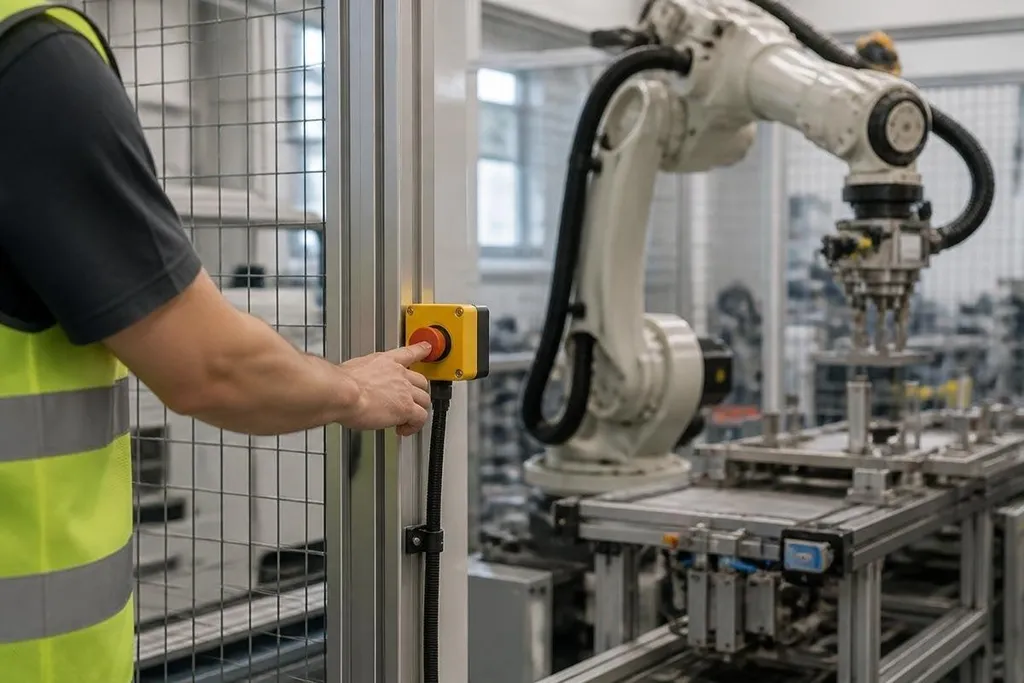
A robot can stop moving and still hold electrical, pneumatic, or stored mechanical energy. An emergency stop system has to bring the hazard under control, keep the robot stopped, and prevent an automatic restart.
- The button must be easy to reach from the work area.
- The stop circuit must act independently of normal software commands.
- Resetting the button must not start the robot again.
What an emergency stop does
An emergency stop, or E-stop, gives a person a fast way to stop hazardous motion. Pressing it sends a stop signal through a safety circuit, which then removes the drive command or power needed for robot movement.
That path matters because normal software can fail, freeze, or lose its network connection. A stop command sent through the robot program may never reach the controller. The E-stop needs a separate route that does not depend on the task code working correctly.
The stop action must match the hazard. Cutting motor power may stop an arm, but it may also make a suspended load drop. A pneumatic gripper can keep pressure after the robot stops, and a capacitor can hold electrical charge after the main supply is switched off.
So the E-stop design needs to answer a plain question: what can still move, fall, rotate, heat up, or release pressure after the button is pressed? That answer decides which circuits need to stop and which energy sources need a separate discharge or isolation step.
Why placement matters
A button across the room is a poor safety control, even if it works perfectly. People need to reach it from the loading point, teaching position, maintenance area, and any other place where a person can enter the robot’s working space.
Large cells may need several E-stops. A person working at one end should not have to cross the cell to reach the only button. Pull-cord switches can cover long conveyor sections, while a handheld pendant may include an E-stop for setup work.
The control should be easy to identify and operate with a gloved hand. A clear red button on a yellow background is common because a person can find it quickly. The layout still needs a check at the actual cell, since a post, guard, fixture, or open door can block access.
An emergency stop can halt motion, but it doesn't decide who may reset the cell or when the robot can move again. Reports on robot safety from Robot24.com can tie that sequence to named machines and tested cells before the next section covers reset and restart.
Stop, reset, and restart
Pressing the button should stop the hazard. Releasing or twisting the button should not start the robot again.
A separate manual reset is needed after the area has been checked. The reset location should let the person see the cell, or the control should use another method to confirm that nobody remains inside. After reset, a normal start command should still be required.
This sequence prevents a common failure: someone presses the E-stop, steps into the cell, then another person resets it from outside. If the robot starts as soon as the button is released, the stop control has created a new danger.
The E-stop also needs regular checks. A test should confirm that each button stops the intended motion, that the fault appears on the control panel, and that the robot stays stopped after the button is released. Maintenance records should identify the button tested, the date, and the result.
What software can and can't do
Software can watch sensors, slow a robot near a person, and stop a task when a fault appears. Those controls help during normal operation, but they should not carry the whole safety job.
A safety-rated controller or relay can monitor the E-stop circuit and detect faults such as a broken wire or a contact that has welded closed. The exact design depends on the robot, tooling, cell layout, and local safety rules.
I'd treat any E-stop that has never been tested under real cell conditions as unproven. A green status light on a control cabinet doesn't show that a button is reachable or that the dangerous motion stops safely.
E-stop check before work starts
Use this short check during a cell review:
- Reach: Can a person press every E-stop from each work position?
- Coverage: Does each button stop every connected hazard in that area?
- Stored energy: Can the robot, tool, load, air line, or capacitor still move after the stop?
- Reset: Does releasing the button leave the robot stopped?
- Restart: Is a separate start command needed after a manual reset?
- Records: Does the maintenance log show the test date and result?
An E-stop is one part of a robot safety plan, alongside guards, interlocks, safe setup controls, training, and maintenance. Its value appears when a normal task goes wrong and a person has seconds to stop the hazard.
The practical test is simple: press it, check what stopped, and verify what still has energy before anyone enters the cell.